 Niko
Screenshots
What it does
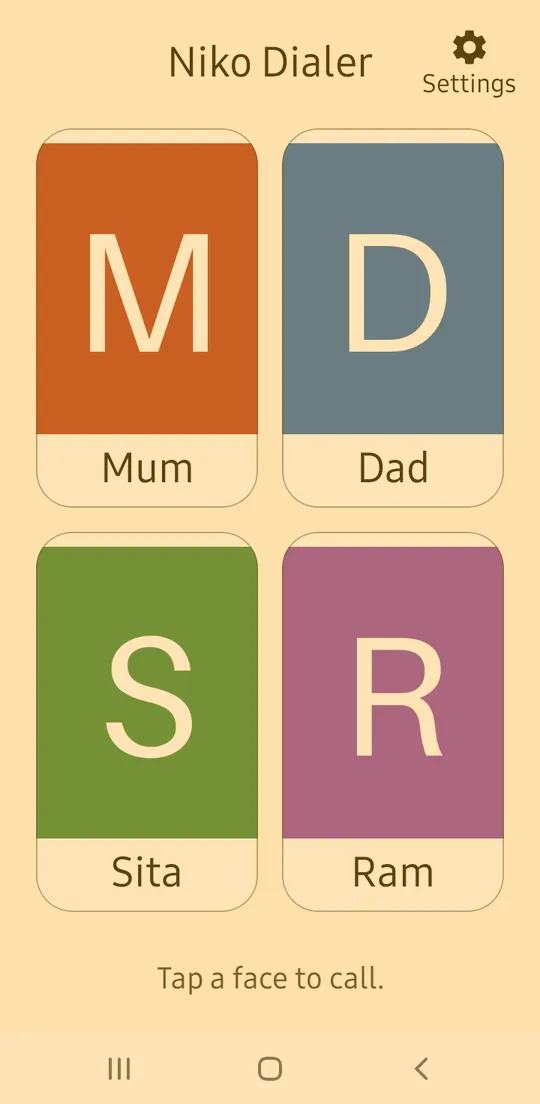
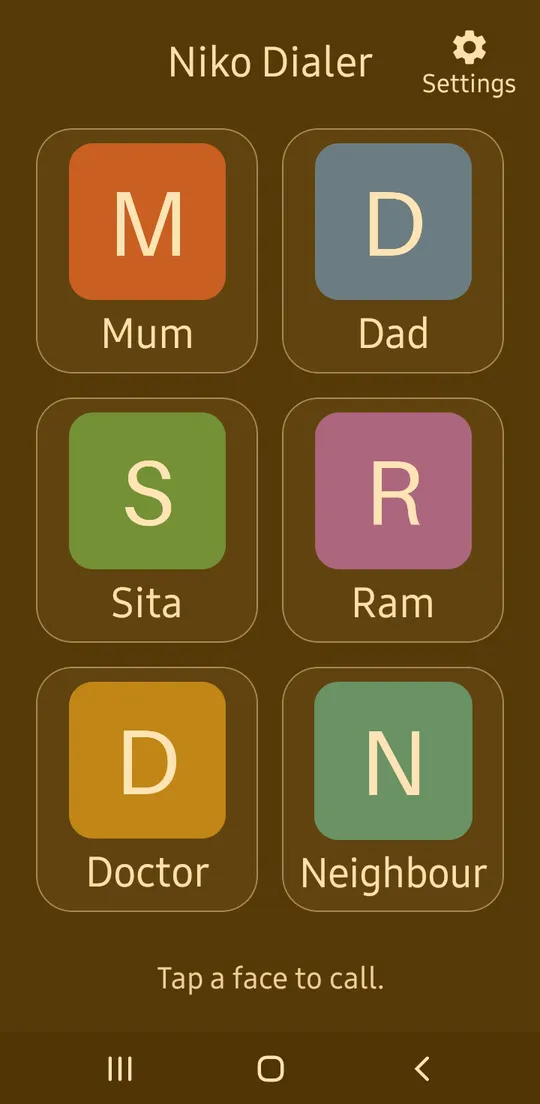
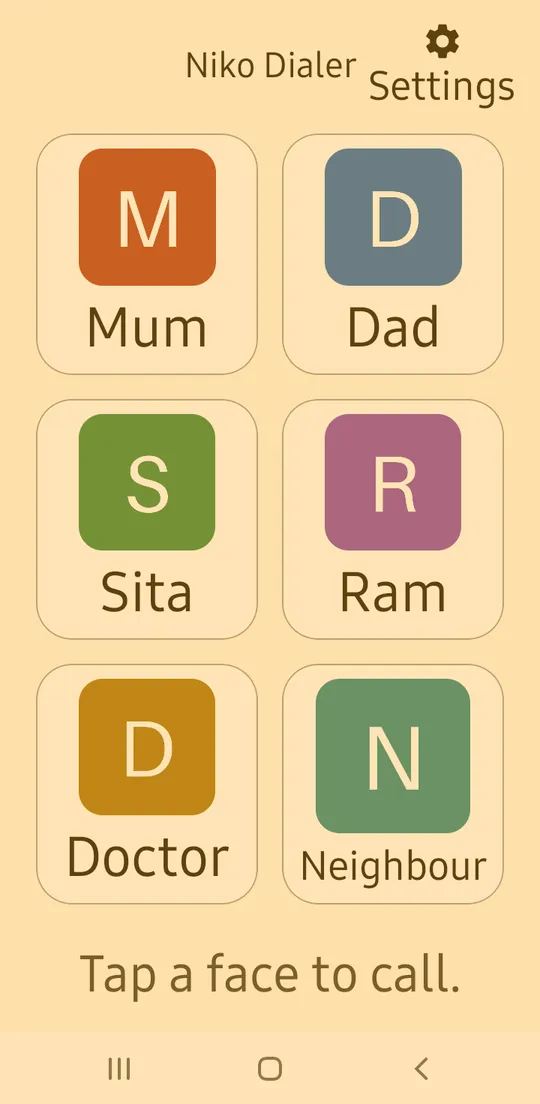
- Tap a face to call. Up to 6 people, each a big photo with the name under it. Nothing to read or type.
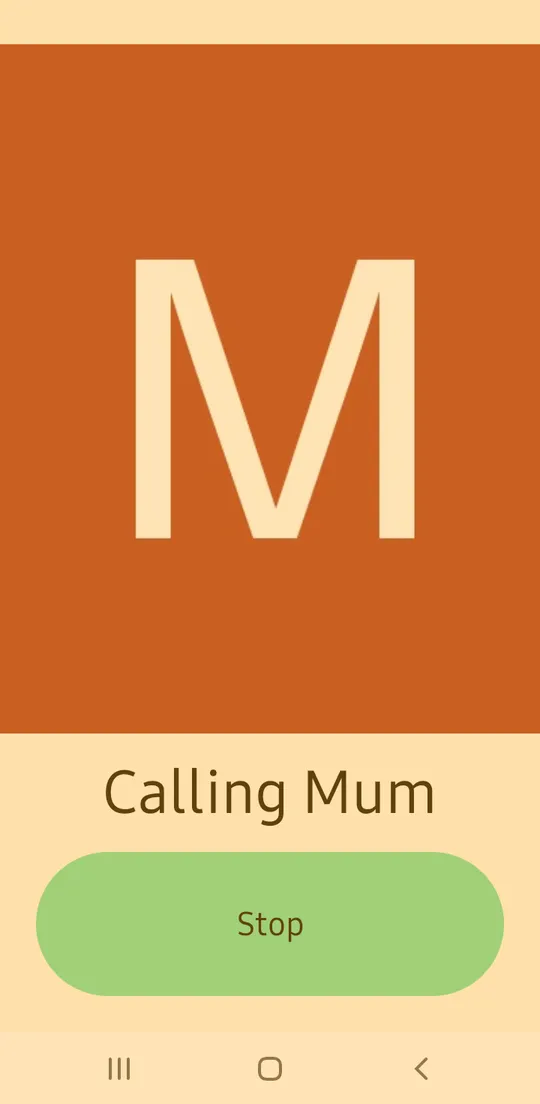
- Says the name first. "Calling Mum" in the phone's voice, then 3 seconds with a big Stop button in case of a wrong tap. A helper can set it to call straight away or to ask first.
- Faces stay in place. Each person keeps their place until a helper moves them. The screen never scrolls.
- Known voices when family call. A helper records "Mum is calling". It plays instead of the ringtone when Mum calls.
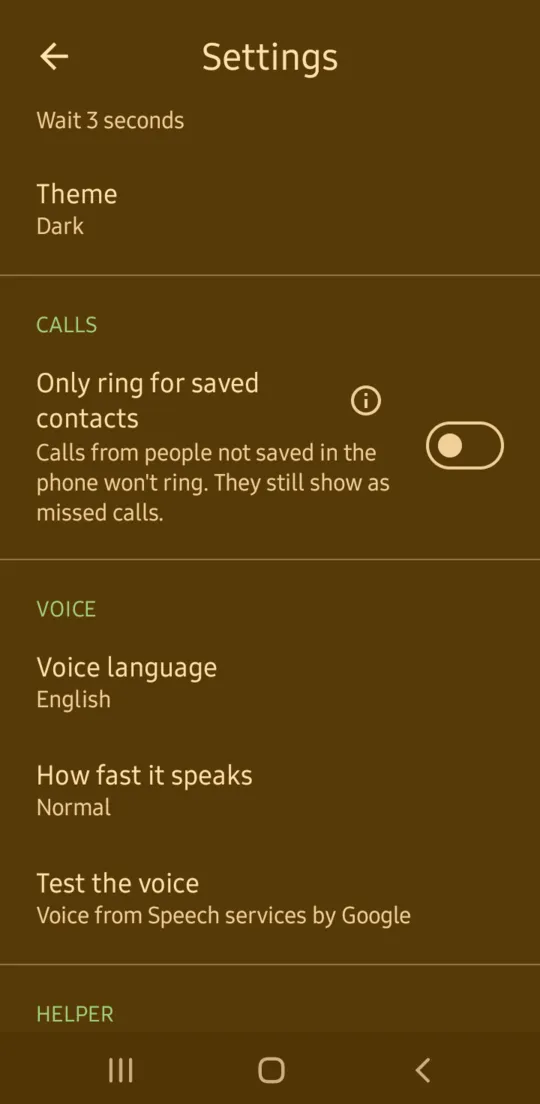
- Only ring for saved contacts. Optional. Calls from numbers not saved in the phone don't ring, but still show as missed calls. Needs Android 10 or newer.
- Set up by a helper. Add people from the phone's contacts or type a name and number. Take a photo, choose one, or use the contact's photo. Settings can be locked with a PIN.
- Warns before something stops working. A line under the faces says when calls, recorded names or silencing may fail, and settings show how to fix it.
Languages
Speaks and shows: English, नेपाली, हिन्दी, বাংলা, اردو, العربية, Español, Português, Français, Bahasa Indonesia.
Names are said the way the helper types them, in any script.
Install
- On the phone, tap Download for Android at the top of this page.
- Open the file. If the phone asks, allow installing apps from this source.
- Open Niko Dialer and follow the short setup to add the first people.
For automatic updates and keeping it working on Xiaomi, Samsung and similar phones, see install help.
Privacy
No internet permission, nothing collected, no ads, no account. People, photos and recordings stay on the phone. How Niko handles privacy.
What does it keep on the phone?
For each person: the name, number, place on the screen and a link to their phone contact, a square copy of their photo, and their recorded name if there is one. Also its settings, and the time of the last silenced call, not the number. A helper PIN is kept only as a one-way hash, never as the numbers themselves.
A person typed in by hand is also saved in the phone's contacts, on the phone, not the SIM. A recorded name is copied into the phone's ringtone list, so the phone can play it. That copy stays on the phone if Niko Dialer is uninstalled.
What is each permission for?
- Phone calls: to start the call when a face is tapped.
- Contacts: to save a typed person in the phone's contacts, and to set their recorded name as their ringtone.
- Microphone: to record a name, only while a helper records it.
- Storage, on Android 8 and 9 only: to put a recorded name in the phone's ringtones.
- Silencing calls, on Android 10 and newer, optional: to keep calls from unsaved numbers quiet. The phone asks for this in its own window. Calls are silenced, never rejected, and still show in the call log.
It has no permission for the internet, location, camera or call history. Photos come from the phone's camera app and photo picker, which need no permission.
Does it see who calls?
Only when Only ring for saved contacts is on, and only for numbers not saved in the phone. Android doesn't show it calls from saved contacts. It keeps the time of the last silenced call and nothing else.
Is it in the phone's backup?
No. Niko Dialer leaves its people, photos and recordings out of Google backup. Moving to a new phone by cable or a phone-to-phone transfer is allowed, but hasn't been tested yet.
Does the voice send anything anywhere?
Niko Dialer doesn't. The voice comes from the phone's own text-to-speech engine, such as Speech Services by Google. Niko Dialer only gives it the sentence to say. What the engine does is covered by its maker's privacy policy.
Accessibility
Version 0.1.0 has been tried by hand on a Samsung Galaxy A01 and an Oppo A5 2020. Neither phone had a SIM card, so no call has gone through yet. Full testing comes before version 1.0. How Niko apps are built and tested.
What hasn't been tested yet?
- A real call: the call connecting, a recorded name playing when that person calls, and silencing calls from unsaved numbers.
- A full TalkBack pass by ear of every screen, including setup and the PIN screens.
- 200% font size on every screen. The main screen has been checked with 1, 2, 4 and 6 people.
- An Accessibility Scanner pass.
- Everyday use by people who can't read, blind people and older people.
- A native speaker review of the screens and the spoken sentence in every language.
Are there known problems?
- At 200% font size, the 0 and delete buttons on the PIN pad are below the edge of the screen. The screen scrolls, but nothing shows there is more.
- The PIN pad's delete button and the information buttons in settings show only an icon, and the information buttons are smaller than they should be. Each has a TalkBack label.
- With 6 people at 200% font size, the faces get smaller to make room for the bigger names.
Questions
Can it call an emergency number?
Not directly. Android doesn't let apps call emergency numbers. If a face has an emergency number, tapping it opens the phone's dialer with the number ready, and the call is made from there.
It says calls may stop working later. What do I do?
The phone can take back Niko Dialer's permissions if it isn't opened for a while. Open Settings in Niko Dialer and follow the link to turn off "Pause app activity if unused". On Samsung phones the same setting is called "Remove permissions if app is unused".
Will we miss a call from a hospital or clinic?
With Only ring for saved contacts on, any number not saved in the phone won't ring, including clinics and hidden numbers. The call still shows as a missed call, and Niko Dialer's settings show when the last silenced call came in. The phone decides who counts as saved, using all its contacts, not just the people in Niko Dialer.
Only ring for saved contacts won't turn on.
It needs Android 10 or newer. On Android 8 and 9 the setting stays off and says so, and everything else works. On newer phones, an app installed from a file can be blocked from silencing calls. Niko Dialer's settings show the steps to allow it.
What happens during the call?
The phone's own call screen takes over. Niko Dialer doesn't control it. On most phones it comes back to the faces when the call ends.
Does it replace the phone's own phone app?
No. Answering calls, the keypad and call history stay in the phone's own app.
Does it need the internet?
No. It has no internet permission and works fully offline.
What's new in 0.1.0
Released 23 October 2026.
- First test release.
- Tap a face to call. The phone says the name, then waits 3 seconds with a big Stop button.
- Up to 6 people with photos, set up by a helper behind a PIN.
- A recorded name that plays instead of the ringtone when that person calls.
- An option to only ring for people saved in the phone.