 Niko
Screenshots
What it does
- A familiar voice, not a beep. A family member records the reminder in their own words, up to 15 seconds: "Mum, it's Sita. Time for the white pill, with water, after breakfast."
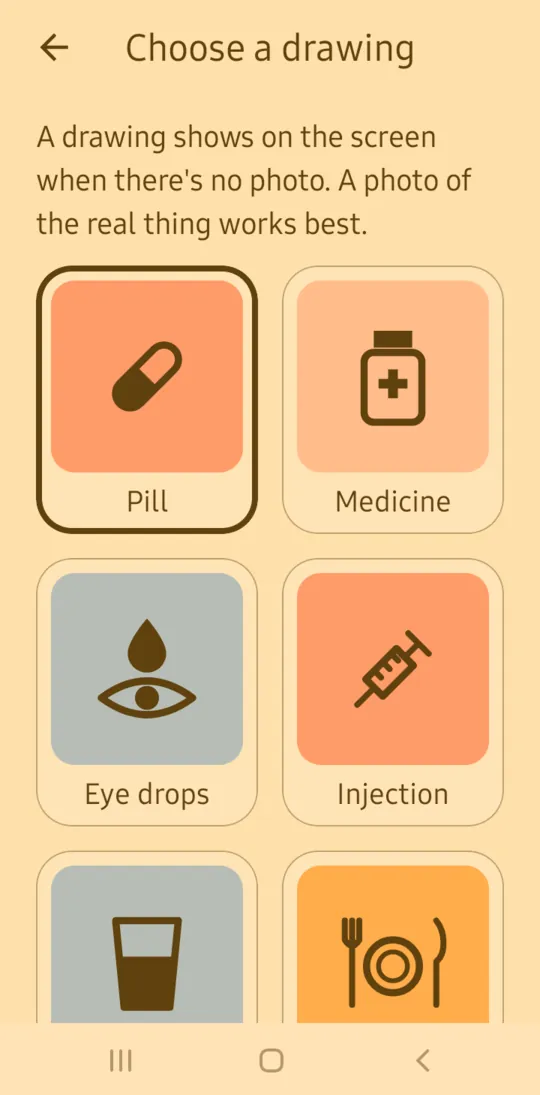
- A photo to recognise. A photo of the pill, the packet or whatever it's for, or one of 12 simple drawings. No reading needed.
- Plays on time, even on silent. It uses the phone's alarm sound and its own volume, and turns the screen on over the lock screen with one big Done button.
- Keeps reminding, then stops. Without Done it plays again every 5 minutes for 30 minutes, then shows as missed. Done is never needed: it only stops the repeats.
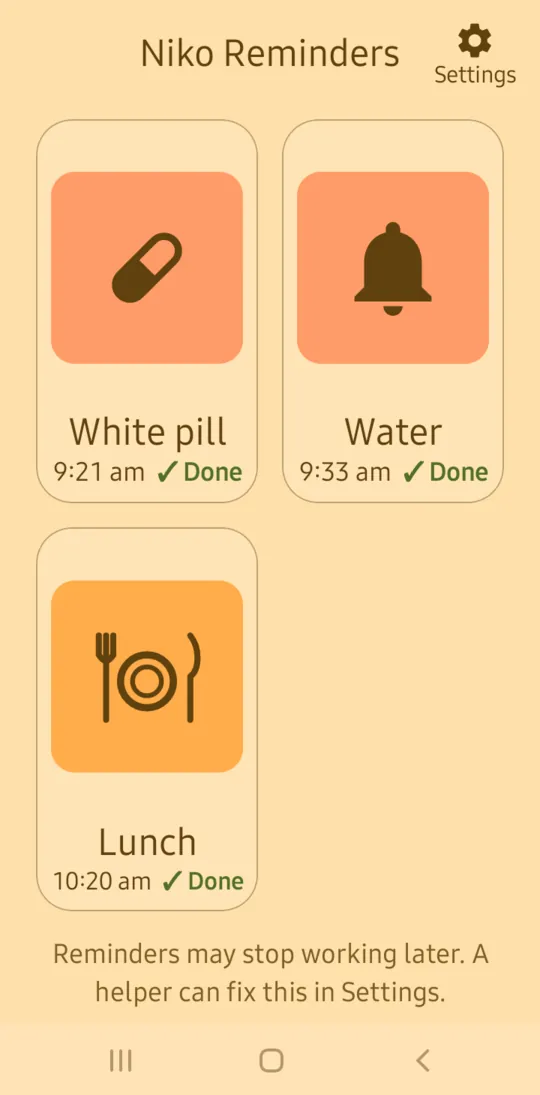
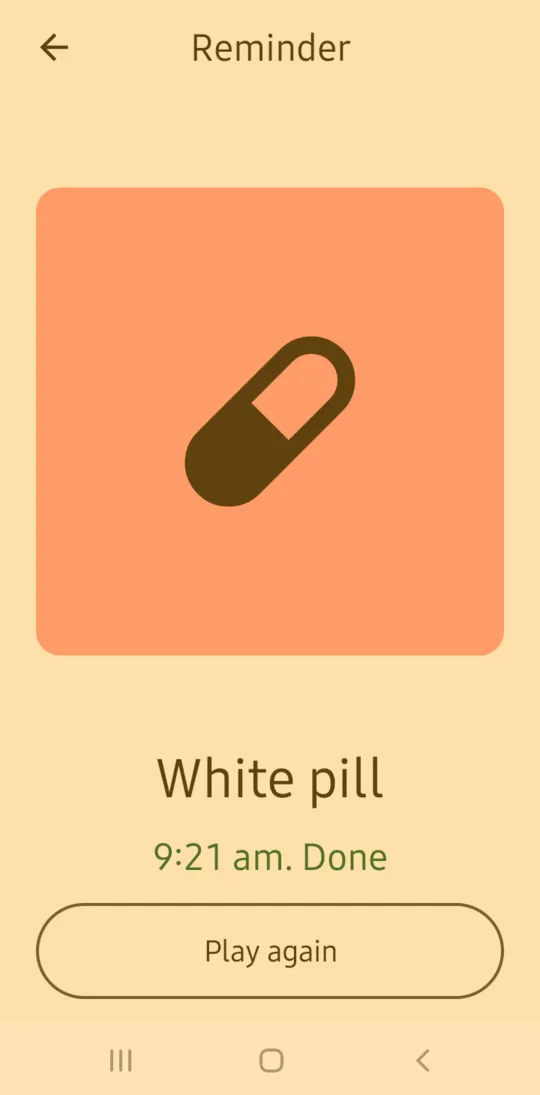
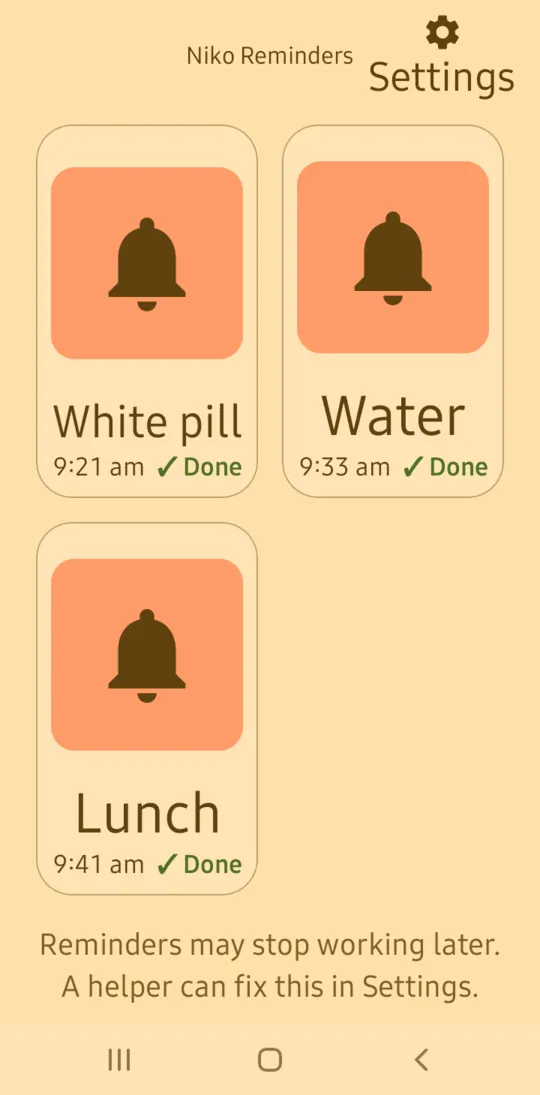
- One fixed screen. Up to 6 reminders, each a picture with its name, time and today's Done or Missed. Tap one to hear it again. The screen never scrolls.
- Every day, chosen days or once. A pill twice a day is two reminders, so morning and night can say different things.
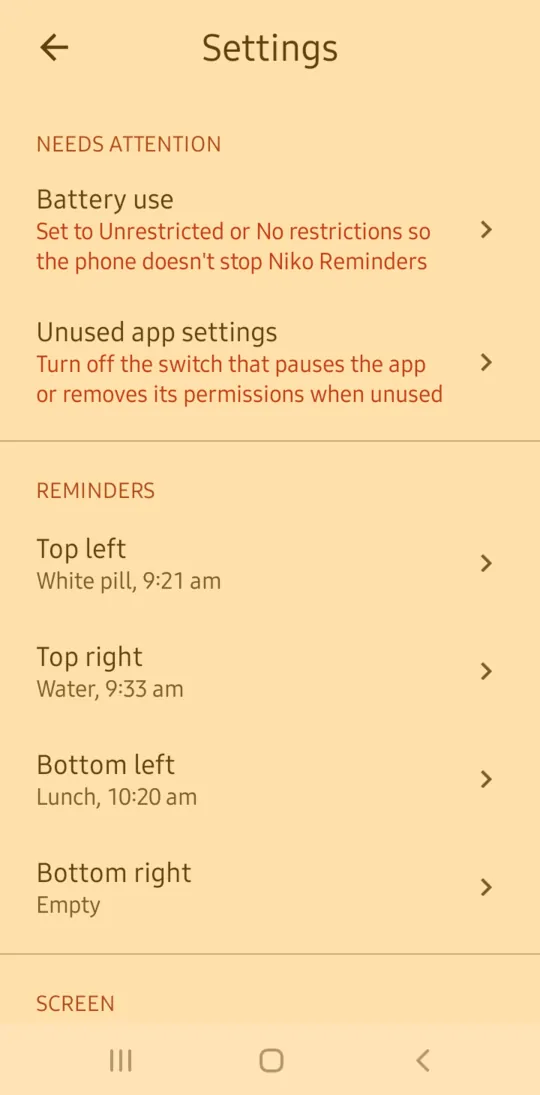
- Set up by a helper. Settings can be locked with a PIN. They show the last 7 days, so a family member can check on a visit that reminders played and got done.
- Warns before something stops working. A line under the reminders says when they may come late, not show or not be heard, and settings show how to fix it.
Languages
Speaks: English, नेपाली, हिन्दी, বাংলা, اردو, العربية, Español, Português, Français, Bahasa Indonesia, for a reminder without a recording.
Shows: English only in this version. A recorded message can be in any language.
Install
- On the phone, tap Download for Android at the top of this page.
- Open the file. If the phone asks, allow installing apps from this source.
- Open Niko Reminders and follow the short setup to add the first reminder.
For automatic updates and keeping it working on Xiaomi, Samsung and similar phones, see install help.
Privacy
No internet permission, nothing collected, no ads, no account. Reminders, photos and recordings stay on the phone. How Niko handles privacy.
What does it keep on the phone?
For each reminder: the name, time, days, place on the screen, a square copy of its photo or the drawing chosen, and the recorded message if there is one. Also its settings, and the last 7 days of reminders played: the name, when it played and when Done was pressed. A helper PIN is kept only as a one-way hash. It doesn't know what medicine anyone takes, only what the family typed and recorded.
What is each permission for?
- Alarms and reminders: to play each reminder on the minute.
- Notifications and full-screen notifications: to show the reminder screen over the lock screen, and to say when a reminder was missed.
- Microphone: to record a message, only while a helper records it.
- Running in the background, keeping the phone awake, vibrating and starting after a restart: to play the message with the app closed, keep repeating until Done, and keep reminders after the phone restarts.
It has no permission for the internet, location, camera, contacts or storage. Photos come from the phone's camera app and photo picker, which need no permission.
Is it in the phone's backup?
No. Niko Reminders leaves its reminders, photos and recordings out of Google backup. Moving to a new phone by cable or a phone-to-phone transfer is allowed, but hasn't been tested yet.
Does the voice send anything anywhere?
Niko Reminders doesn't. A recording plays from the phone itself. For a reminder without one, the voice comes from the phone's own text-to-speech engine, such as Speech Services by Google. What the engine does is covered by its maker's privacy policy.
Accessibility
Version 0.1.0 has been tried by hand on a Samsung Galaxy A01 with Android 12: reminders played on the minute on silent, repeated until Done, showed over a locked screen right after a restart before the PIN was entered, and Done worked without unlocking. Full testing comes before version 1.0. How Niko apps are built and tested.
What hasn't been tested yet?
- Android 14 and newer, where full-screen notifications can be turned off, and Xiaomi, Oppo and other phone makers' own settings.
- Seven days of reminders in a row, the full 30 minutes of repeats, and clock changes.
- A full TalkBack pass by ear of every screen, and an Accessibility Scanner pass.
- 200% font size on every screen. The main screen has been checked.
- Everyday use by people who can't read, blind people and older people.
Are there known problems?
- The screens are in English only.
- Play again, and tapping a reminder to hear it, may be quiet when the phone's media volume is turned right down.
Questions
Is it a medical app?
No. It plays what the family recorded at the time they chose. It doesn't know about medicines, doses or schedules, and gives no advice.
What if nobody presses Done?
The reminder plays again every 5 minutes for 30 minutes, then stops and shows as missed on its picture and in a notification. A helper can change how long it keeps reminding, or turn repeats off. Done can still be pressed later the same day.
Will it play if the phone is on silent?
Yes. It plays on the alarm sound, which silent mode doesn't turn off. Do Not Disturb only stops it if alarms are turned off there.
It says reminders may stop working later. What do I do?
The phone can stop apps in the background or take back their permissions if they aren't opened for a while. Open Settings in Niko Reminders and follow each link under Needs attention, such as battery use and "Pause app activity if unused".
Can family get a message when a reminder is missed?
Not in this version. A missed reminder shows on the phone, and the last 7 days are in settings for a helper to check.
Does it need the internet?
No. It has no internet permission and works fully offline.
What's new in 0.1.0
Released 24 October 2026.
- First test release.
- A family member records a message and adds a photo or one of 12 drawings.
- At the set time the phone plays it, even on silent, and shows it over the lock screen.
- Plays again every 5 minutes until Done is pressed, then shows as missed.
- Up to 6 reminders on one screen that never moves, set up by a helper behind a PIN.